

Why verify signatures?
Without signature verification, anyone who discovers your webhook URL can send fake events to your endpoint. An attacker could:- Trigger false payment confirmations to fulfill orders that were never paid
- Forge delivery events to mark messages as sent when they weren’t
- Inject malicious data into your systems through crafted payloads
- Cause your application to take actions based on events that never occurred
How it works
Each webhook delivery includes a cryptographic signature in theX-Lettermint-Signature header. The signature is computed using HMAC-SHA256 with your webhook’s secret and contains:
- A timestamp to prevent replay attacks
- A hash of the exact payload we sent
Headers
Every webhook delivery includes these HTTP headers:| Header | Description |
|---|---|
| X-Lettermint-Signature | Signature in format t={timestamp},v1={hmac_hex} |
| X-Lettermint-Event | Event type (e.g., message.delivered, message.bounced) |
| X-Lettermint-Delivery | Delivery timestamp (Unix seconds) |
| X-Lettermint-Attempt | Retry attempt number (1, 2, 3…) |
Signature scheme
The signature format follows the Stripe/Svix convention:t= Unix timestamp (seconds) when signature was generatedv1= HMAC-SHA256 hex digest
Signed payload format
We compute the signature over this exact string:JSON_UNESCAPED_SLASHES and JSON_UNESCAPED_UNICODE flags. You must use the raw request body bytes, not a re-serialized version.
Computing the signature
Replay protection
Reject webhooks with stale timestamps to prevent replay attacks. We recommend a 5-minute tolerance window:- Parse the
tvalue fromX-Lettermint-Signature - Compare with current time:
|now - t| <= 300seconds - Reject if outside the window
Implementation examples
Verification steps
The signature verification process follows these steps:- Extract the
X-Lettermint-Signatureheader and parset(timestamp) andv1(signature hash) - Validate timestamp is within 5 minutes of current time to prevent replay attacks
- Get raw body as the exact bytes received (not re-serialized JSON)
- Compute signature using HMAC-SHA256 over
{timestamp}.{rawBody}with your secret - Compare using timing-safe equality to prevent timing attacks
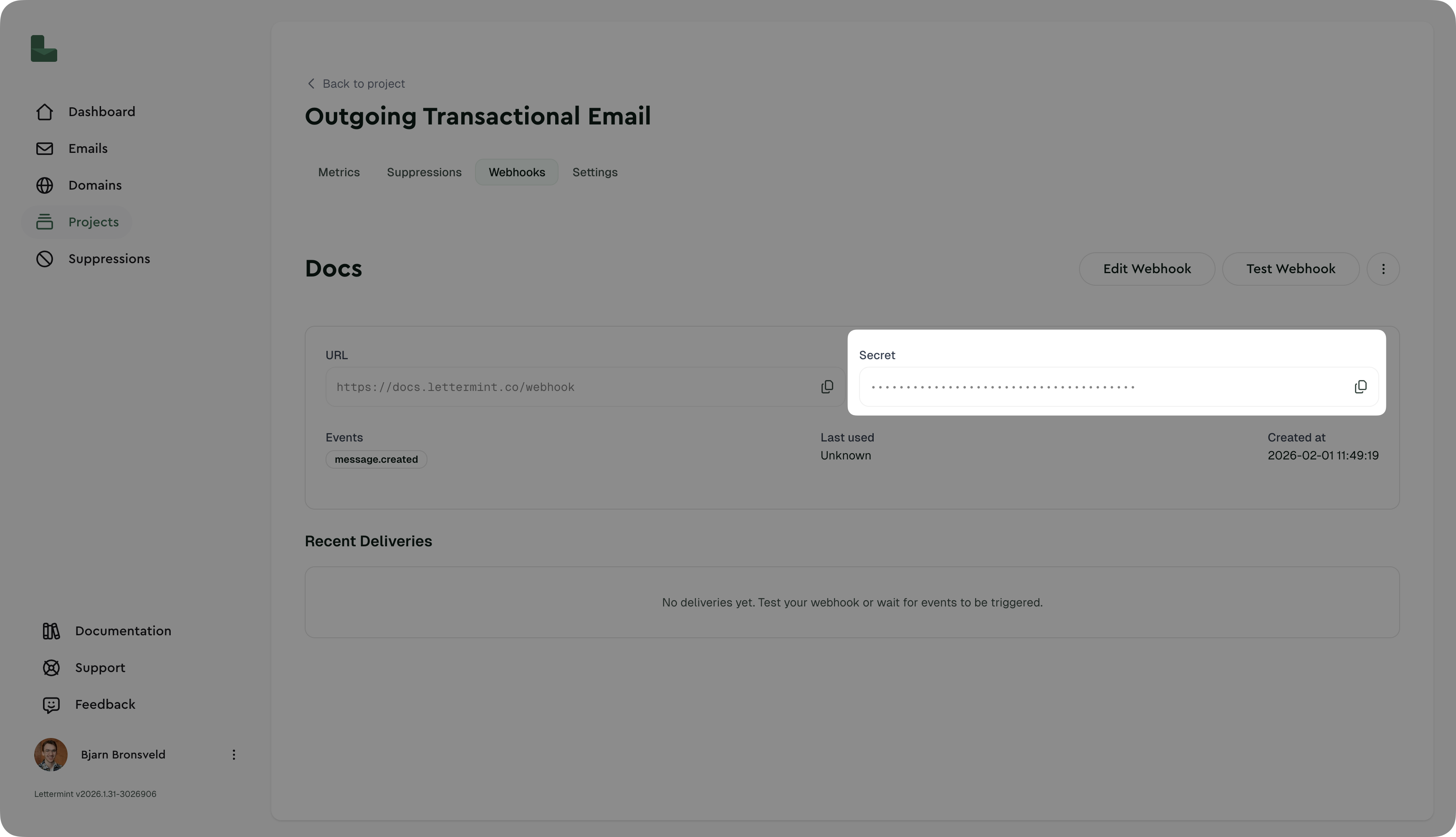
Finding your webhook secret
- Navigate to Dashboard → Project → Routes → Select Route → Webhooks
- Click on your webhook
- Copy the secret (starts with
whsec_) - Store it securely in your environment variables
Testing signature verification
Manual test with curl
Using the dashboard
The “Test Webhook” button sends a real, properly-signed webhook to your endpoint. This is the easiest way to verify your implementation.Production recommendations
Security
- Always verify signatures in production environments
- Use HTTPS endpoints - Lettermint only delivers to HTTPS URLs
- Rotate secrets periodically (e.g., every 90 days)
- Monitor failed deliveries in the dashboard for potential attacks
Performance
- Verify then queue - Return 200 immediately after verification, process async
- Set reasonable timeout - Your endpoint should respond within 30 seconds
- Implement idempotency - Use
event.idto prevent processing duplicates
Error handling
- Return 401 for signature verification failures
- Return 200-299 for successful processing
- Return 500-599 for temporary errors (we’ll retry)
Failed deliveries are automatically retried with exponential backoff. See Introduction for the retry schedule.
Troubleshooting
”Invalid signature” errors
Problem: Signature verification always fails Solutions:- Verify you’re using the raw request body, not re-serialized JSON
- Check that your secret includes the
whsec_prefix - Ensure body parsing middleware preserves raw body (see Express example)
- Confirm timestamp is being parsed as an integer, not string
Timestamp too old warnings
Problem: “Timestamp too old or too new” errors Solutions:- Check your server’s system clock is synchronized (use NTP)
- Increase tolerance to 600 seconds (10 minutes) if clock drift is unavoidable
- Verify you’re parsing the
tparameter correctly as Unix seconds
Works in test but fails in production
Problem: Test webhook works, but real events fail Solutions:- Confirm production environment has correct
LETTERMINT_WEBHOOK_SECRET - Check production logging to see the actual signature format received
- Verify production isn’t modifying request body (compression, proxies, etc.)
Next steps
- Webhook events: See all available event types
- Introduction: Learn about webhook delivery and retries
- SDK documentation: Use our official SDKs with built-in verification