

When to Use Project Limits
Project limits are useful when you need to enforce boundaries between different parts of your organization:| Use Case | Example |
|---|---|
| Multi-brand separation | Restrict mail.brand-a.com to only the Brand A project |
| Environment isolation | Prevent staging projects from accidentally using production domains |
| Security boundaries | Limit sensitive domains to specific applications |
If all your projects share the same domains, you don’t need to configure project limits—the default unrestricted behavior works well for most teams.
How It Works
Domains can be in one of two states:| State | Description |
|---|---|
| Unrestricted | Domain can be used by any project in your team (default) |
| Restricted | Domain can only be used by explicitly selected projects |
Configuring Project Limits
You can configure which projects have access to a domain from the domain settings page.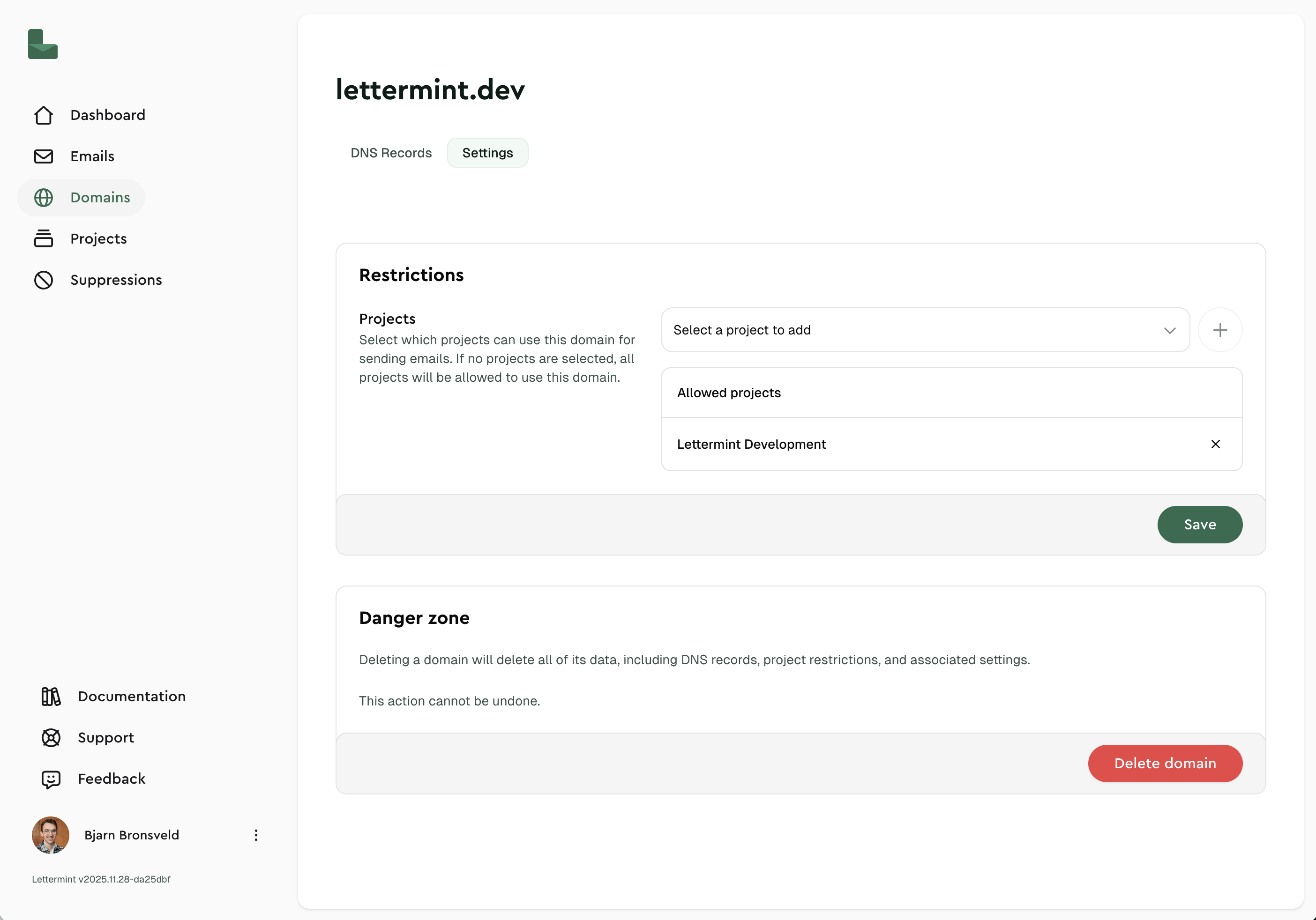
Restricting a Domain
- Navigate to Domains in your dashboard
- Click on the domain you want to restrict
- In the project limits section, select the projects that should have access
- Save your changes
Removing Restrictions
To make a domain available to all projects again, simply remove all project selections. An empty selection means the domain is unrestricted and available to all projects in your team.Managing via API
You can manage project limits programmatically using the Team API.Restrict a Domain to Specific Projects
Remove All Restrictions
Pass an empty array to make the domain available to all projects:Access Control
When a domain is restricted to specific projects, it affects who can manage the domain:| Role | Can Edit Domain? |
|---|---|
| Team Owner | Always |
| Team Member | Only if they have access to at least one of the restricted projects |
Troubleshooting
Why can't I edit this domain?
Why can't I edit this domain?
The domain is restricted to projects you don’t have access to. Contact your team owner to either:
- Grant you access to one of the restricted projects, or
- Add a project you have access to in the domain’s project limits
How do I make a domain available to all projects again?
How do I make a domain available to all projects again?
Remove all project selections in the dashboard, or via API, set
project_ids to an empty array [].Can I restrict a domain to zero projects?
Can I restrict a domain to zero projects?
No. An empty project list means the domain is unrestricted and available to all projects. To completely disable a domain, you would need to delete it instead.
Related
- Projects and Routes — Understand the team → project → route hierarchy
- Team API Introduction — Manage team resources programmatically