

Spend limits are only available on paid plans. Free plans have a fixed limit of 300 emails per month with no overage option.
Understanding overage emails
Each paid plan includes a set number of emails per month. For example, the Starter plan includes 10,000 emails. Any emails sent beyond your plan’s included amount are called overage emails and are charged at your plan’s overage rate. Overage emails are billed at a per-1,000 rate that varies by plan. You can see your exact overage rate in your billing settings.Configuration options
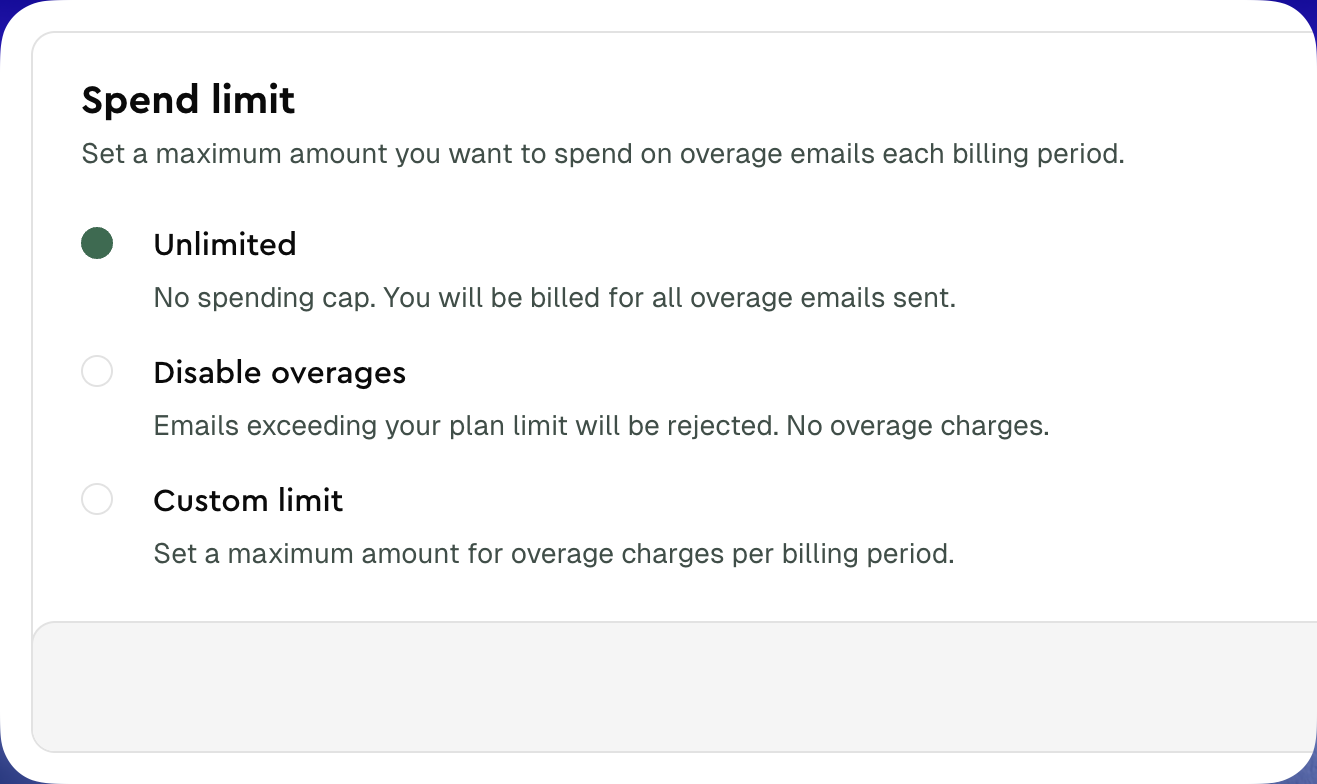
Spend limits offer three ways to control your overage spending:| Option | Behavior | Best for |
|---|---|---|
| Unlimited | No spending cap. You’re billed for all overage emails. | Teams with variable sending volumes who prioritize delivery over cost control |
| Disable overages | Emails exceeding your plan limit are rejected. No overage charges. | Teams who want strict budget control and can tolerate rejected emails |
| Custom limit | Set a maximum overage budget (e.g., €50). Emails are rejected once the limit is reached. | Teams who want a balance between flexibility and cost control |
When you set a custom limit, the system calculates how many extra emails that budget allows based on your plan’s overage rate. For example, a €15 limit at €1.50 per 1,000 emails allows approximately 10,000 additional emails.
Setting up spend limits
To configure your spend limit:- Navigate to Manage team in your dashboard
- Go to the Billing tab
- Find the Spend Limit card
- Select your preferred option:
- Unlimited for no cap
- Disable overages to block emails beyond your plan
- Custom limit and enter your maximum budget in EUR
- Click Save to apply your changes
Notifications
Lettermint automatically notifies team owners when approaching or reaching spend limits:80% warning
When your overage spending reaches 80% of your configured limit, team owners receive an email notification. This gives you time to:- Increase your limit if needed
- Review your sending patterns
- Prepare for potential email rejection
100% limit reached
When you reach your spend limit, you’ll receive a notification that email sending has been paused for overage emails. At this point:- New emails beyond your plan’s included amount will be rejected
- Emails within your plan limit continue to send normally
- You can increase your limit at any time to resume sending